Why Use AI to Change Your Hairstyle in Photos?
Choosing a new hairstyle is a big decision. It can completely alter your appearance and boost your confidence. But walking into a salon with only a vague idea of what you want is a gamble. Pictures from magazines or Pinterest might not look the same on you.
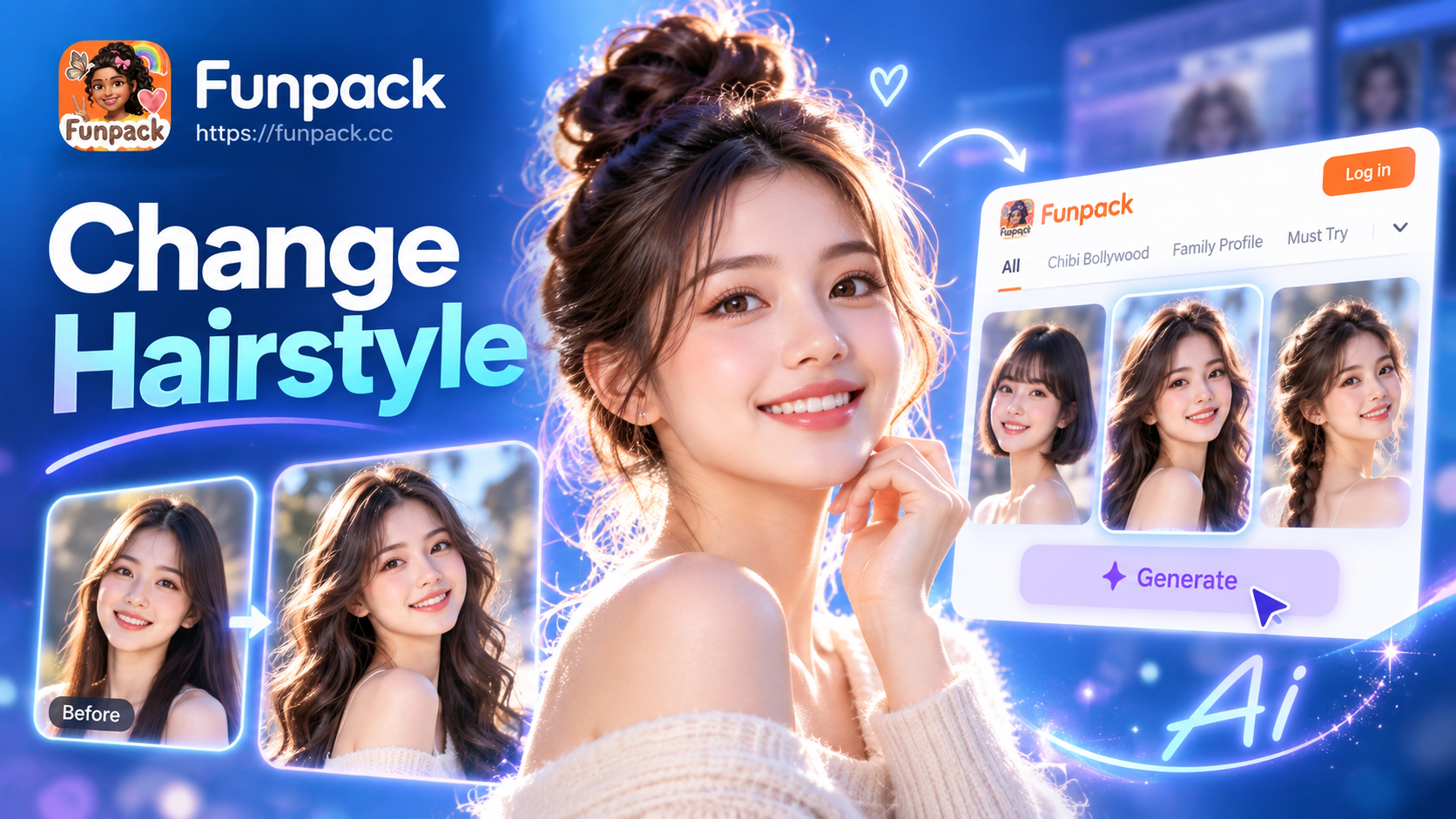
AI hairstyle changers solve this problem. They use advanced generative AI to realistically map different hairstyles, colors, and textures onto your uploaded photo. This allows you to visualize changes to your length, volume, parting, and hair color with lifelike accuracy before you ever pick up scissors or dye.
It's not just for drastic changes. Maybe you want to see if curtain bangs would suit your face shape, or if going a shade darker for winter would be flattering. This tool empowers you to make informed, confident decisions about your personal style.
How to Change Your Hairstyle with AI in 3 Simple Steps
The process is designed to be incredibly simple, requiring no technical skills or design experience.
Step 1: Upload Your Clear Selfie
Start by taking or choosing a clear, well-lit front-facing photo. Good lighting ensures the AI can accurately detect your facial features, hairline, and current hairstyle. A simple selfie against a plain background works perfectly. Upload this photo directly into the app to begin your transformation.
Step 2: Browse and Select Your Dream Hairstyle
This is the fun part. Explore a vast library of hairstyle templates. Categories often include:
- Short Styles: Pixie cuts, bobs, lobs, and undercuts.
- Long Styles: Layers, curtain bangs, beach waves, and sleek straight looks.
- Men's Styles: Fades, pompadours, textured crops, and long man buns.
- Colors: Natural brunettes, blondes, and redheads, plus fantasy colors like pastel pink, electric blue, or silver gray.
- Trending Looks: Viral cuts and colors from social media and celebrity culture.
Simply tap on any style that catches your eye to select it.
Step 3: Generate and Save Your New Look
Once you've chosen your style, the AI gets to work. In just a few seconds, it will generate a new version of your photo with the selected hairstyle seamlessly integrated. The result maintains your facial features, skin tone, and expression, only altering your hair. You can then download the high-quality image, compare it side-by-side with your original, and share it with friends for feedback.
Key Features of a Powerful AI Hairstyle Changer
Not all AI tools are created equal. For the most realistic and satisfying experience, look for these features in an app like funpack.
Realistic Hair Texture and Integration
The best AI doesn't just paste a hair image on top of your head. It analyzes the direction of your natural hair growth, the way light hits your face, and your head shape to render new hair strands with believable texture, volume, and shadows. This prevents the "wig-like" effect and creates a convincing composite.
Massive Library of Styles
A great tool offers endless inspiration. From classic vintage looks to futuristic cuts seen on runways, having thousands of templates ensures you'll find something that resonates with your personal aesthetic. This variety encourages experimentation you might not consider otherwise.
Precise Color Application
Changing color is more than just filling an area. Advanced AI can simulate highlights, lowlights, balayage, and root growth for a natural ombre effect. It can show you how a vibrant fashion color would fade or how a dark brown would complement your eyebrows and complexion.
Face Shape Analysis
Some sophisticated apps can even offer recommendations based on an analysis of your face shape (oval, round, square, heart). This provides helpful guidance, suggesting styles that are traditionally flattering for your specific bone structure.
Creative Uses Beyond Personal Makeovers
While personal use is the most common, the applications for this technology are wider.
- Character Design: Writers, game developers, and comic artists can quickly visualize different hairstyles for their characters to match personalities or story arcs.
- Portfolio Building: Hair stylists and salon owners can use it as a consultation tool to show clients potential results, building trust and setting clear expectations.
- Historical or Fantasy Projects: See yourself with an elaborate Victorian updo, ancient warrior braids, or elven locks for a cosplay or themed photoshoot.
- Fun with Friends: Transform group photos with matching or wildly different hairstyles for a humorous social media post.
Tips for Getting the Best Results
- Use a High-Quality Photo: The clearer the input, the better the output. Avoid blurry, dark, or heavily filtered images.
- Face Forward: A straight-on angle works best for most algorithms. Avoid extreme side profiles or angles where hair covers much of your face.
- Start with Subtle Changes: If you're new to this, try a slightly different length or adding layers before jumping to a platinum buzz cut. It helps you trust the technology.
- Experiment Freely: The beauty of AI is there are no consequences. Try that bright green hair you'd never dare to do in real life. It's all part of the creative process.
Changing your hairstyle with AI is more than a digital gimmick, it's a practical tool for self expression and confident decision making. It bridges the gap between imagination and reality, allowing you to explore your identity through hair in a risk-free, creative space. By visualizing the change first, you can walk into your next salon appointment with certainty and excitement, ready to embrace your new look.